Plugins
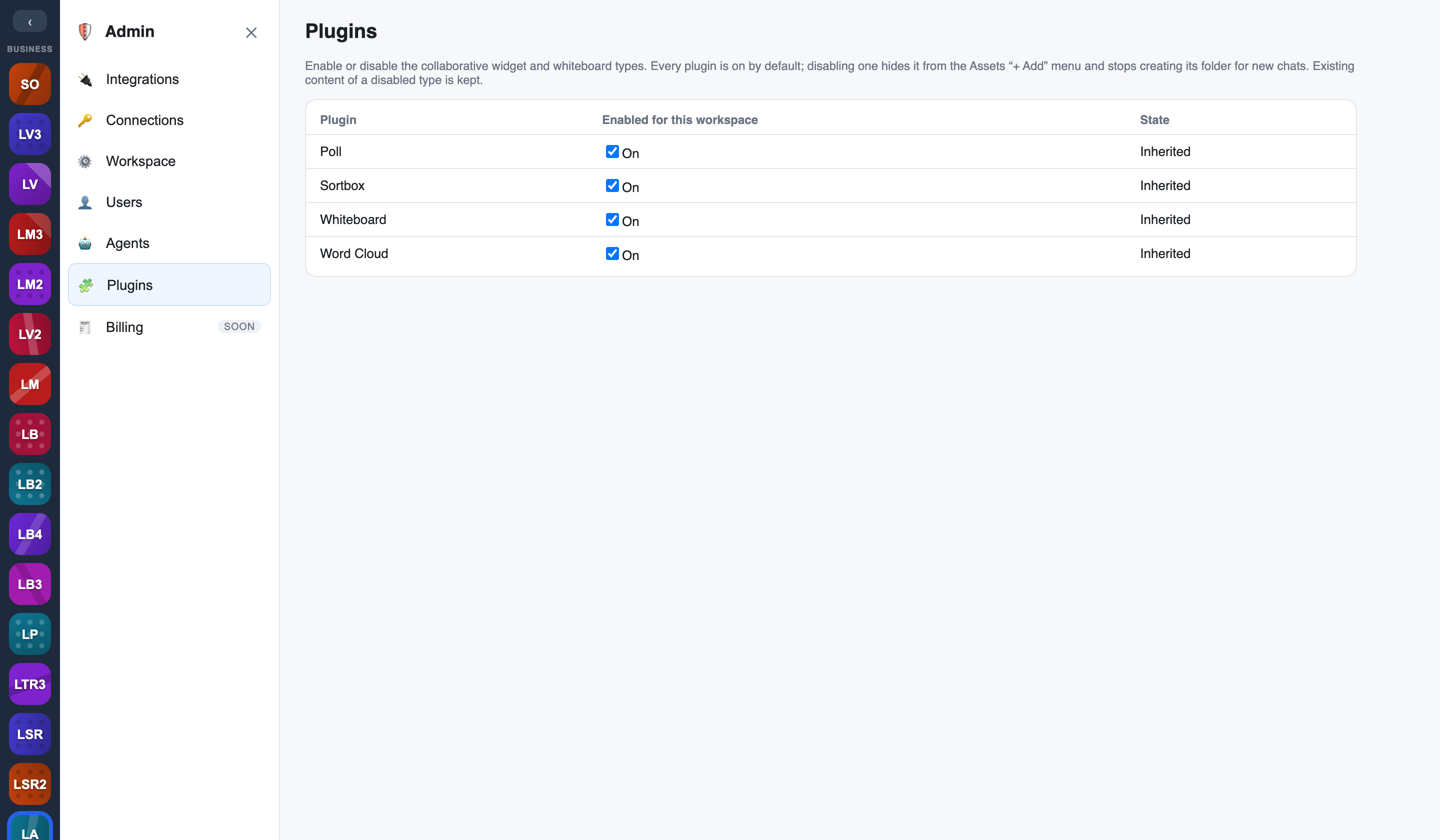
The Plugins page in the Admin console is where you turn widget types on and off for your workspace — Poll, Sortbox, Whiteboard, and Word Cloud. It's the switchboard that decides which collaborative tools your members can actually reach. Every plugin is on by default.
What it controls
- Enable / disable widget types — flip a widget type on or off for the whole workspace.
- The
/command menu is driven by it — the Add (/) menu only offers the widget types you've enabled, so disabling polls removes/pollfrom the menu rather than leaving a dead command. - Default folders follow too — the per-chat default asset folders for those widget types (whiteboards, polls, word clouds, sorts) are driven by the same setting, so a new chat only seeds folders for what's actually enabled. Existing content of a disabled type is kept.
Nothing here is hard-coded: the catalogue of widget types is DB-driven, so the Add menu and folders stay in sync with the toggles automatically.
Platform defaults, workspace override
Plugin availability is hierarchical, the same pattern as Integrations:
- The platform operator activates a plugin at the platform level first — if a plugin isn't activated for the platform, it can't be enabled anywhere.
- Your workspace then inherits those platform defaults, and you override per workspace: switch an inherited widget type off for your workspace, or on where the platform allows it.
One plugin architecture
Widgets, integrations, connection providers, and model catalogues all ride the same plugin registry and activation model, so they're governed consistently. See Integrations & plugins for the shared mechanics.