
Dispatch & performance
Every agent turn passes through a dispatch pipeline — routing the message, assembling context, picking the model, running any tools, and holding for the right moment to reply. LEMA Chat can show you that pipeline so a slow or surprising turn is explainable rather than opaque.
The Dispatch & Performance rail
The right rail carries a Performance (and Dispatcher) panel for the current chat. It reports the real per-stage timings of the most recent agent turns — routing, context assembly, model call, tools, and the total — using the same data throughout, so an inline card and the panel always agree.
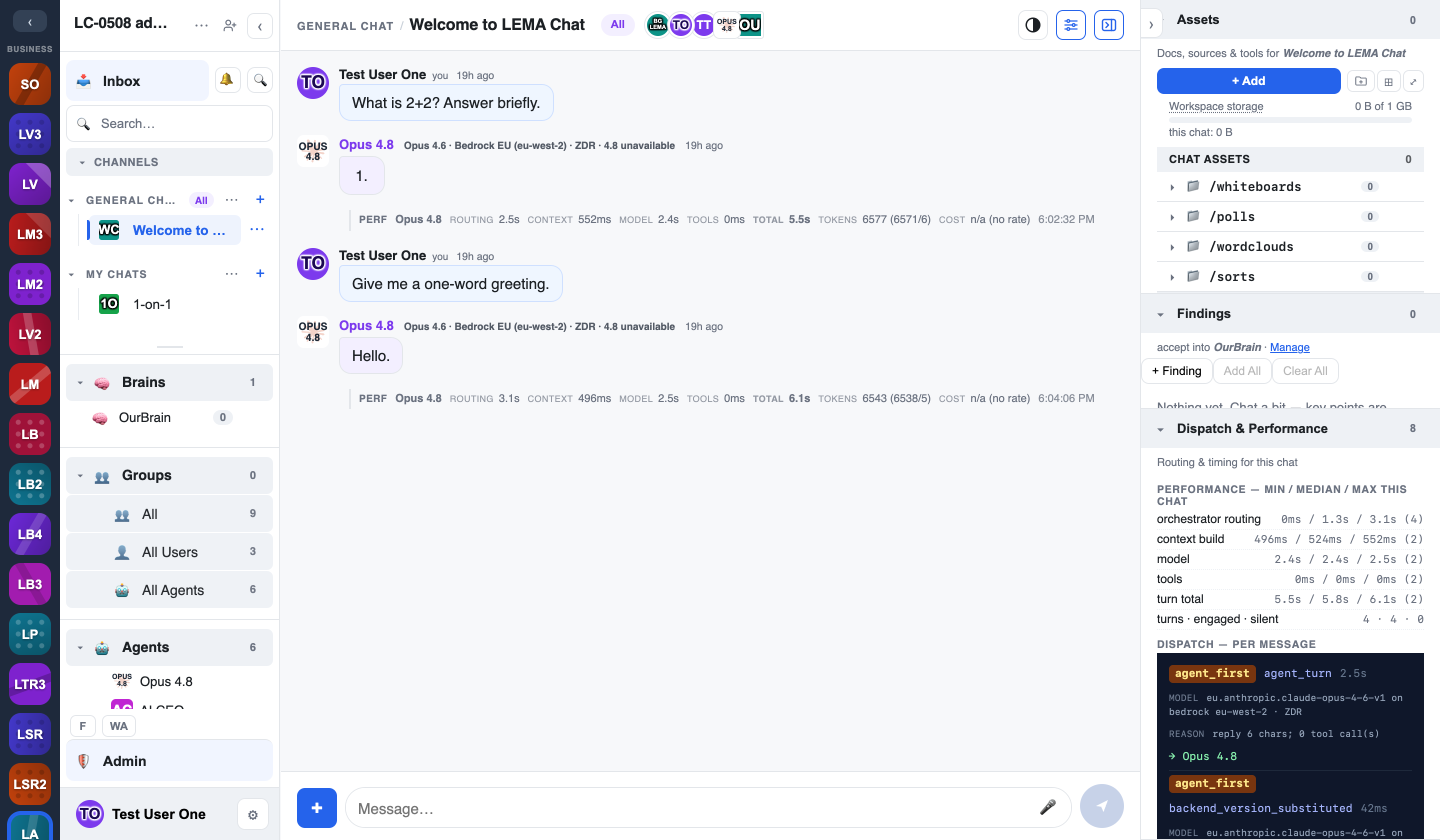
- Per-stage timings — each stage shows its actual duration (for example context assembly, the model call, and any held delay before the reply lands).
- Consistent everywhere — the inline Dispatch card under a message and the right-rail panel draw from one source, so numbers match.
Show performance in chat
Whether the inline per-turn cards appear in the timeline is a personal display choice: Settings → Display → Show performance in chat. Turn it on when you're diagnosing latency, off for a clean timeline.
Tokens & cost (Admin+)
For admins, the performance results also include the token count (prompt, completion, and total) and the cost for each agent turn, so spend is attributable turn by turn. This detail is admin-gated — regular members see timings, admins additionally see tokens and cost.
Where the money adds up
Per-turn cost here rolls up into the workspace's metering — see Credits & spend.